Why a simple hardware timer beats every break reminder app
When I work on a computer, I lose track of time. I start coding, searching for something, or reading, and suddenly two or three hours have passed. No breaks, no stretching, no walking. That is not healthy.
I decided to fix this. I wanted something that reminds me to take a break every hour. Simple, right? It was not.
The app search
First, I looked for an app that works across all my Apple devices: MacBook, iPad, iPhone, and Apple Watch. The idea was simple. A macOS app counts my work time and tells me when to take a break. Then, when I leave the desk, Apple Watch tells me when the break is over.
I found some apps, but none of them worked the way I wanted. And then I realized something. The break is never the same length. Sometimes I make a coffee (2 minutes), sometimes I go for a short walk (10 minutes). The app does not know this.
macOS-only apps
I tried several macOS break reminder apps. Some of them detect your activity. If you are away from the computer, they treat it as a break. When you are active, they count time and show a notification after 30 or 60 minutes.
This approach had problems:
- Too gentle notifications. I simply did not notice them while focused on code.
- Too aggressive notifications. Full-screen overlays or blocking my apps. I do not want that.
- Wrong activity detection. Sometimes I stare at the screen and think for a minute or two. The app treats that as a break. It is not a break. I am working.
None of the apps felt right.
Apple Watch stand reminders
Apple Watch has a built-in feature that reminds you to stand up every hour. But it tracks movement, not actual work time. I have a standing desk, and I move my hands while working. Because of that, the Watch thinks I am already active and skips the reminder. It is not reliable for my use case.
Apple Shortcuts
I also tried to build something with Apple Shortcuts. The idea was to create a custom timer workflow that would work across devices. But it was not ideal either. Setting it up was more complicated than it should be, and the result was still just a notification on a screen that I could easily miss or dismiss.
The hardware timer
About a year ago, I bought a TickTime Cube. It is a small hexagonal device that I can put on my desk. It has eight time presets: 1, 3, 5, 10, 15, 25, 45, and 60 minutes. I set the timer by flipping it to the side with the time I want. It plays a sound, vibrates, and blinks when the time is up.
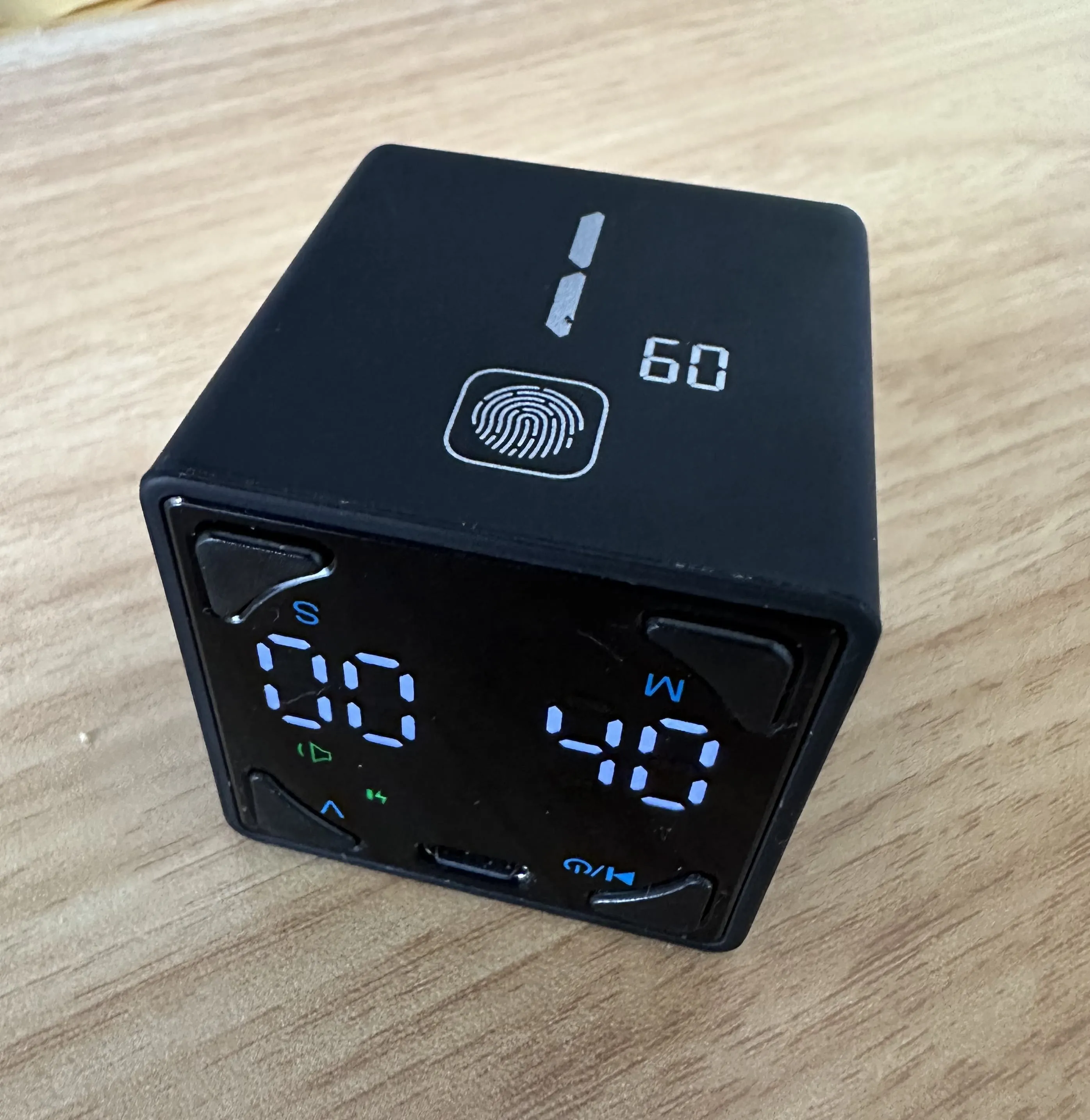
When I bought it, I was using headphones all day, so I could not hear the alarm. I put the timer in a box and forgot about it.
Recently, I switched to desk speakers instead of headphones (better for my ears since I listen to music all day while coding). And I remembered the timer.
It turned out to be the perfect solution.
Why it works for me
When I sit down to work, I flip the timer to 60 minutes. That is it. One simple action.
The timer counts down. I see it on my desk. I do not need to open an app, click anything on screen, or think about it. It just runs.
When the time is up, it plays a sound, vibrates, and blinks. I notice it because it is a physical thing on my desk, not a notification hidden somewhere on my screen.
Then I take a break. One minute, five minutes, fifteen minutes. It is up to me. The timer does not care how long my break is. When I come back, I flip it again.
The key difference from apps:
- No wrong activity detection. The timer does not care if I move, stare at the screen, or stand at my desk. It counts time. That is all.
- Impossible to miss. Sound, vibration, and blinking lights right on my desk.
- No pressure. It does not block my screen or force me to stop. It is just a notification. I decide what to do with it.
- One action to start. Flip the timer. Done.
Beyond the computer
The best part is that this timer is not tied to any system. I can use it for anything.
Want to read for 15 minutes? Flip the timer. Exercise for 30 minutes? Flip the timer. Play a game for an hour? Flip the timer.
It charges via USB-C, it is small, and it works anywhere. No accounts, no subscriptions, no apps to install, no privacy concerns.
What about the upgrade?
TickTime also makes the TK3, a newer model with presets of 5, 10, 30, and 60 minutes, plus a custom countdown and a clock. The TK3 has a battery that lasts around 10 days, which is a big improvement over the roughly 14 hours I get from my Cube. It also comes with a charging dock that has buttons, so I could probably start the timer without even picking it up. It is bigger, but since it stays on my desk at home, size does not matter.
Still, I like how minimalist the Cube is. I am not sure if I will upgrade. Maybe.
Simple tools work best
I spent a lot of time looking for the perfect app. I tried cross-platform solutions, macOS-only apps, Apple Watch features, and custom Shortcuts. In the end, a simple hardware timer solved my problem better than any software.
Sometimes the best productivity tool is not an app. It is a small device on your desk that does one thing well.
This post is not sponsored. I just like the product.
Spot something wrong?
Found a typo, a broken link, or something that could be better? I would love to hear from you. Drop me a message and I will fix it.