Unable to boot device because we cannot determine the runtime bundle
I wanted to start an iOS simulator from the command line using the Expo CLI After running npm run ios, I got the following error:
Error: xcrun exited with non-zero code: 2An error was encountered processing the command (domain=NSPOSIXErrorDomain, code=2):Unable to boot device because we cannot determine the runtime bundle.No such file or directory(I should have prepared the iOS environment before or read the Expo documentation first, but I thought I already had everything installed.)
The solution is simple.
To install the iOS platform, open Xcode, go to Settings -> Platforms, and install the iOS platform.
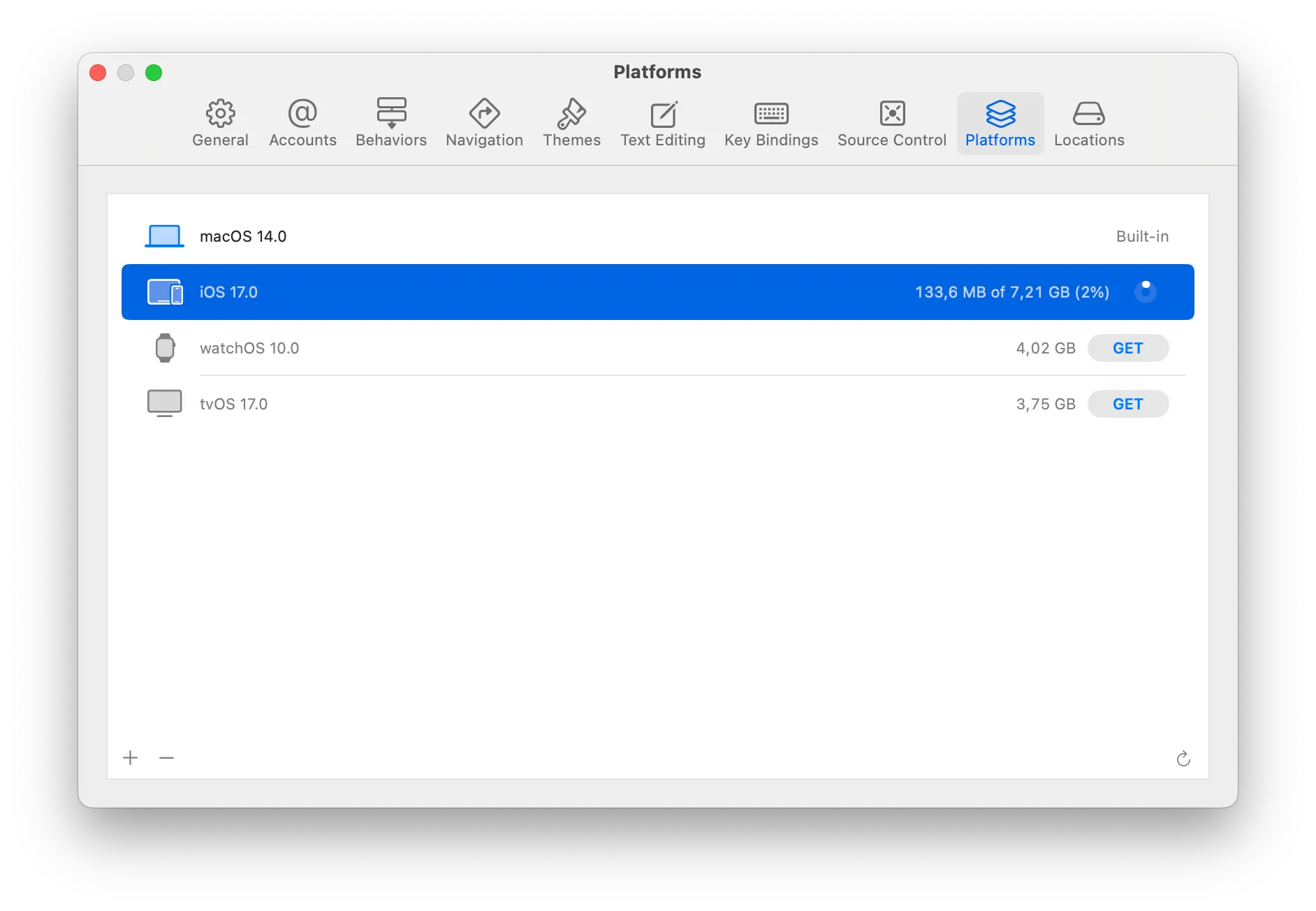
Next, to select the iOS version in the Expo CLI, run npm start and then press ⇧ + i.
> Opening on iOS...? Select a simulator > iPhone SE (3rd generation) (17.0) iPhone 15 (17.0) iPhone 15 Plus (17.0)> iPhone 15 Pro (17.0) iPhone 15 Pro Max (17.0) iPad Air (5th generation) (17.0) iPad (10th generation) (17.0) iPad mini (6th generation) (17.0) iPad Pro (11-inch) (4th generation) (17.0) iPad Pro (12.9-inch) (6th generation) (17.0)After that, I was able to run the iOS simulator from the command line using the Expo CLI.
Spot something wrong?
Found a typo, a broken link, or something that could be better? I would love to hear from you. Drop me a message and I will fix it.