How to install PyCharm on Fedora
There is no package/repository for Fedora so we have to download the application from PyCharm website. You can use other options for installing Pycharm, like Fedy, but I don’t see the point of it. I can just download PyCharm and unpack it in my home directory, without installing additional software and without using the root account.
Java is installed in Fedora by default (at least for versions 25 and 26) so you don’t need to install it.
I like to have all applications not installed by DNF in a single directory. I’ve created ~/Apps directory to keep PyCharm.
mkdir ~/AppsDownload Pycharm from https://www.jetbrains.com/pycharm/download/#section=linux
Unpack it to the ~/Apps.
[eshlox@eshlox ~]$ cd Apps/[eshlox@eshlox Apps]$ lspycharm-professional-2017.1.3.tar.gz[eshlox@eshlox Apps]$ tar -xvzf pycharm-professional-2017.1.3.tar.gzpycharm-2017.1.3/bin/log.xmlpycharm-2017.1.3/build.txtpycharm-2017.1.3/debug-eggs/pycharm-debug-py3k.egg[...][eshlox@eshlox Apps]$ rm pycharm-professional-2017.1.3.tar.gz[eshlox@eshlox Apps]$ lspycharm-2017.1.3Run PyCharm from the command line.
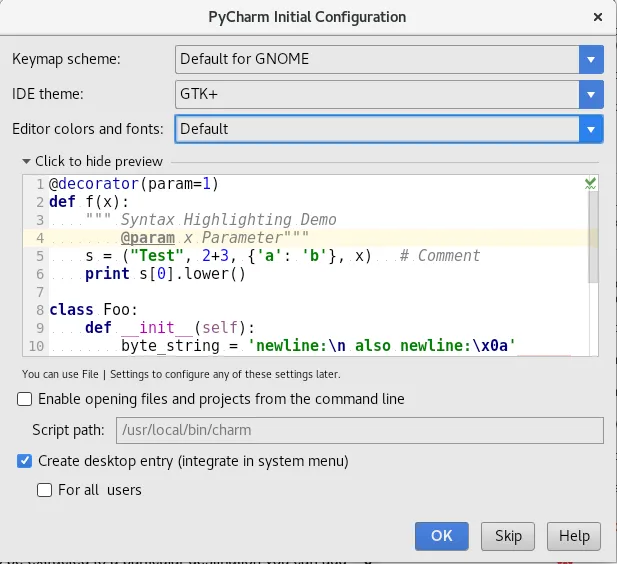
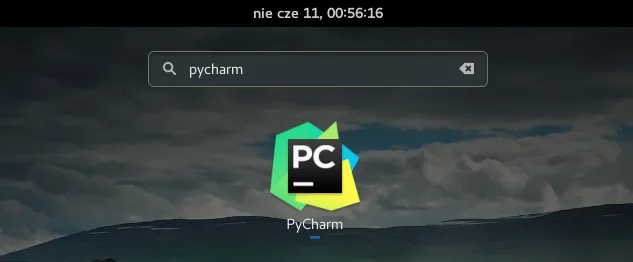
[eshlox@eshlox Apps]$ cd pycharm-2017.1.3/[eshlox@eshlox pycharm-2017.1.3]$ ./bin/pycharm.shOn the initial configuration screen, you can create a desktop entry so you will be able to run PyCharm from the application menu, instead of command line. Just check correct option.
PyCharm is ready to use. Everything works.
Spot something wrong?
Found a typo, a broken link, or something that could be better? I would love to hear from you. Drop me a message and I will fix it.